

climcpapi
A URL shortener CLI for developers and AI agents
Shorten URLs from the command line with the Linkdash CLI. Share files and snippets, run A/B tests, target visitors, and let AI agents manage links over MCP.
Igor Kirnosov9 min read
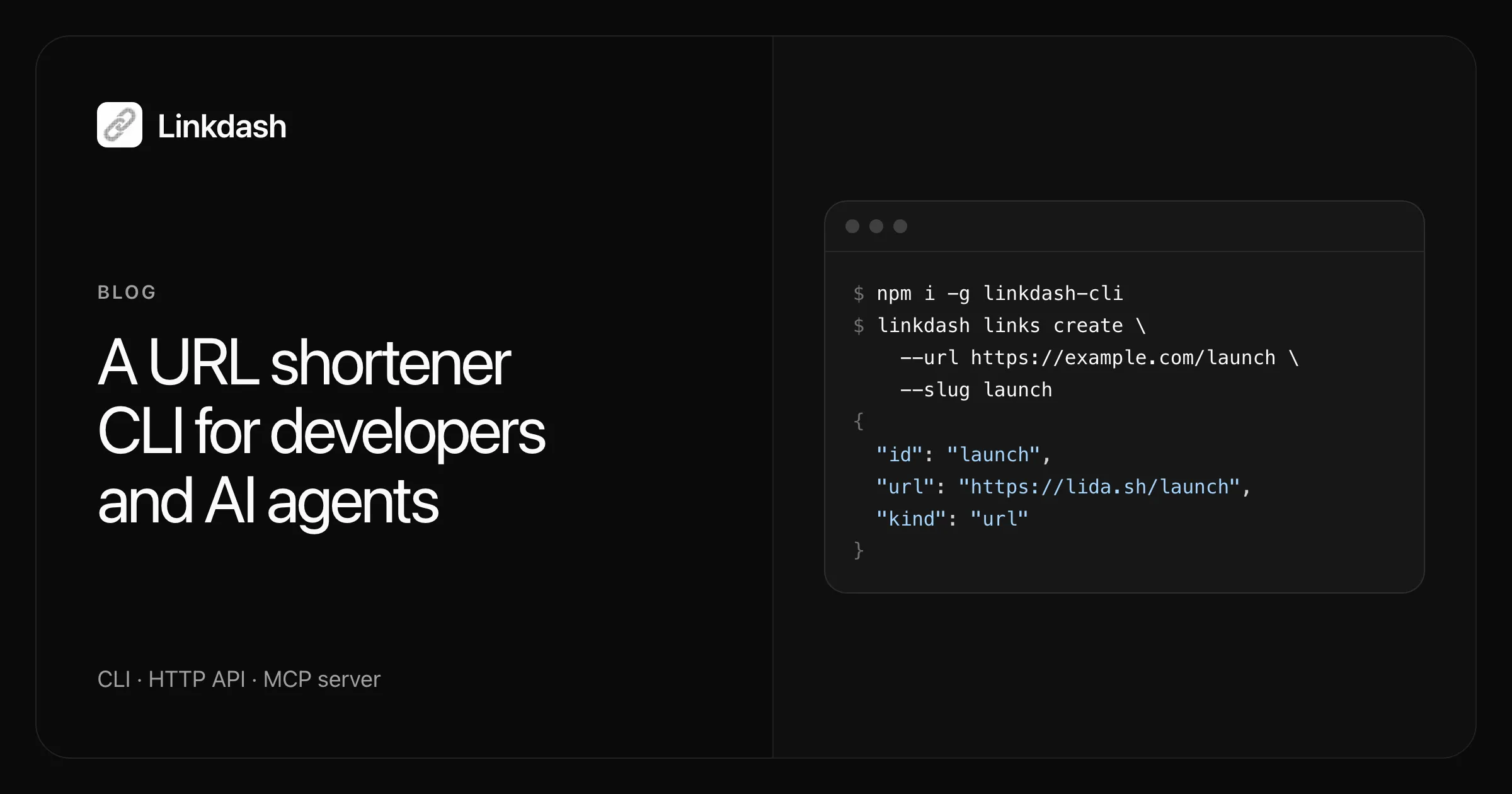
Linkdash is a URL shortener you drive from the terminal. One command turns a URL, a file, or a text snippet into a tracked short link on lida.sh, and prints the result as JSON you can pipe into anything. The same operations are available over an HTTP API and as an MCP server, so an AI agent can create, update, and measure links with the exact same tools you use.
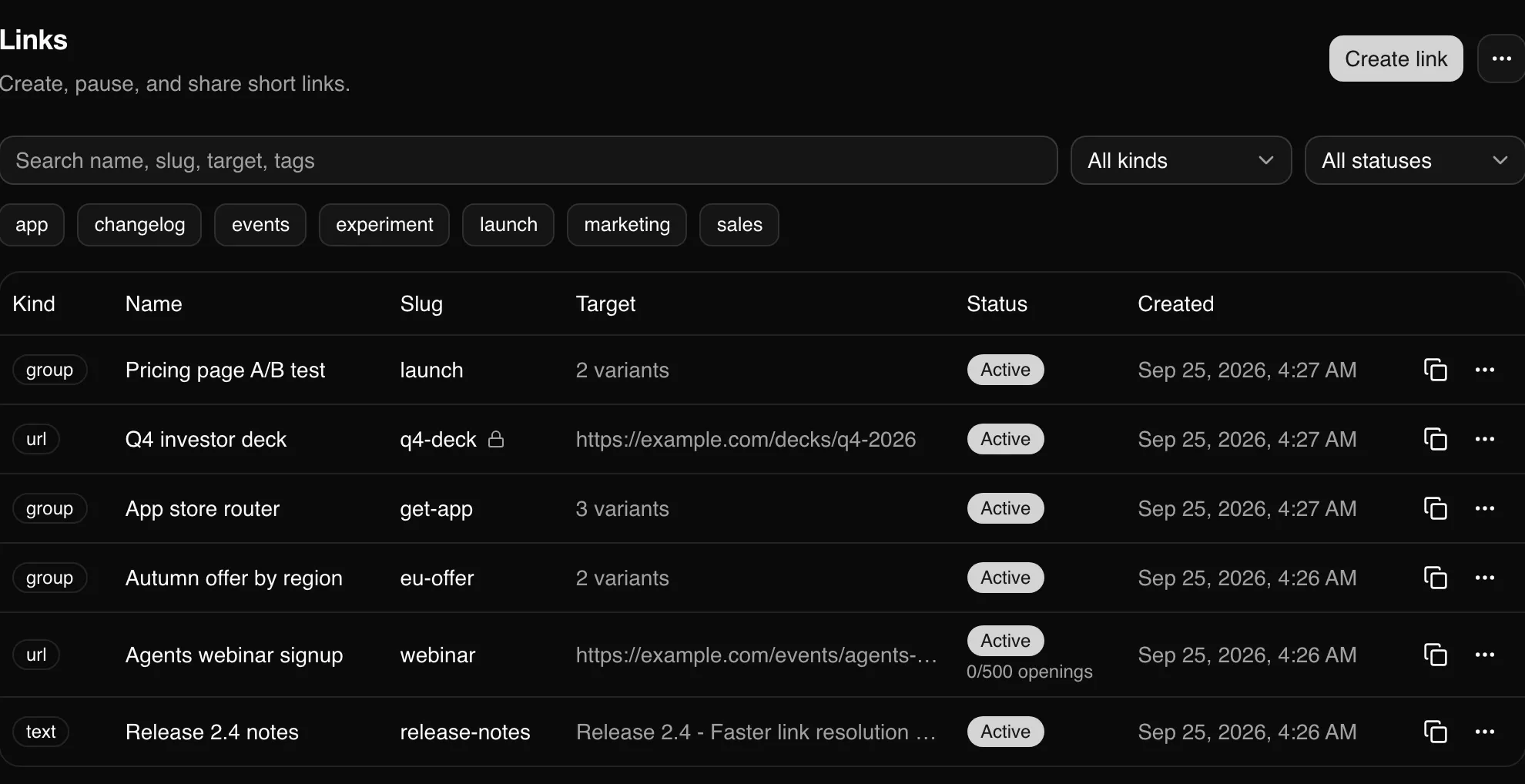
This guide walks through the whole CLI: installing it, shortening your first link, sharing files, locking links down, running A/B tests, routing visitors by country or device, and reading analytics without opening a browser.
Install the Linkdash CLI
The CLI is an npm package and needs Node.js 20 or later.
npm i -g linkdash-cliIt works the same with pnpm add -g linkdash-cli or bun add -g linkdash-cli. The command it installs is linkdash.
Then create an account and sign the CLI in, in one step:
linkdash auth createThis opens the sign-up page in your browser. Once you have an account, you approve the code shown in your terminal and the CLI is signed in. If you already have an account, use linkdash auth login instead. linkdash auth whoami confirms which account you are using, and the CLI reference lists every command and flag.
The session is stored in ~/.config/linkdash/config.json with owner-only permissions. For CI or other headless environments, set LINKDASH_TOKEN to the session token from that file on a machine where you have signed in, and treat it like any other secret.
Shorten a URL from the command line
linkdash links create --url https://example.com/pricing --slug pricing{
"id": "pricing",
"url": "https://lida.sh/pricing",
"kind": "url",
"variants": [
{ "name": "main", "kind": "url" }
]
}That is the whole interface: successful commands print JSON on stdout, and errors print plain text on stderr with exit code 1. There is no --json flag because JSON is the only output. That makes the CLI easy to script. To copy a fresh short link straight to your clipboard on macOS:
linkdash links create --url https://example.com/pricing | jq -r .url | pbcopyA few flags you will use constantly:
--slugsets the public path. Slugs use lowercase letters, digits, and inner hyphens, up to 64 characters. Leave it out and Linkdash generates one.--nameis a private label only you see, handy for finding links later.--tagis repeatable, so--tag launch --tag q4tags a link twice.--utm-source,--utm-medium,--utm-campaign,--utm-term, and--utm-contentadd campaign parameters to the destination.
List and search what you have created with linkdash links list --q pricing --tag launch.
Share a file or a text snippet
Short links are not only for URLs. The same command uploads a file or stores a snippet:
linkdash links create --file ./board-deck.pdf --slug board-deck --expires 7d
linkdash links create --text "Release checklist: tag, build, smoke test, announce" --tag launch
A file link gives visitors a download, with a preview for images and video. A text link shows the snippet on a page with a copy button. Both are tracked like any other link, so you can see who opened your deck and when. To replace the file behind an existing link without changing the URL:
linkdash links update board-deck --file ./board-deck-v2.pdfControl who can open a link
Every link can carry its own access rules:
linkdash links create --url https://example.com/decks/q4-2026 \
  --slug q4-deck \
  --password "$DECK_PASSWORD" \
  --expires 14d \
--max-openings 50--passwordasks visitors for a password before the link opens.--startsand--expirestake a duration such as30m,24h, or7d, or an ISO date. Before its start time a link does not resolve at all.--max-openingspauses the link after that many openings, which is useful for one-time downloads.
You can pause and resume a link at any time with linkdash links update q4-deck --status paused and --status active.
Run an A/B test on a short link
In Linkdash, every link is a container of one or more variants. A variant is a destination (a URL, file, or text) with its own weight and rules. A normal link has a single variant named main. Add more and the short link splits its traffic between them:
linkdash links create --slug launch \
  --variant control --url https://example.com/pricing \
  --variant annual-first --url "https://example.com/pricing?view=annual"
Flags after each --variant belong to that variant until the next one. Traffic is split by weight, which defaults to 1, so the example above is a 50/50 test. Give a variant --weight 3 to send it three times as much traffic.
Assignment is sticky by default: a returning visitor keeps getting the same variant, which is what you want for a fair test. When you change the experiment, linkdash links update launch --restart-split reshuffles everyone once.
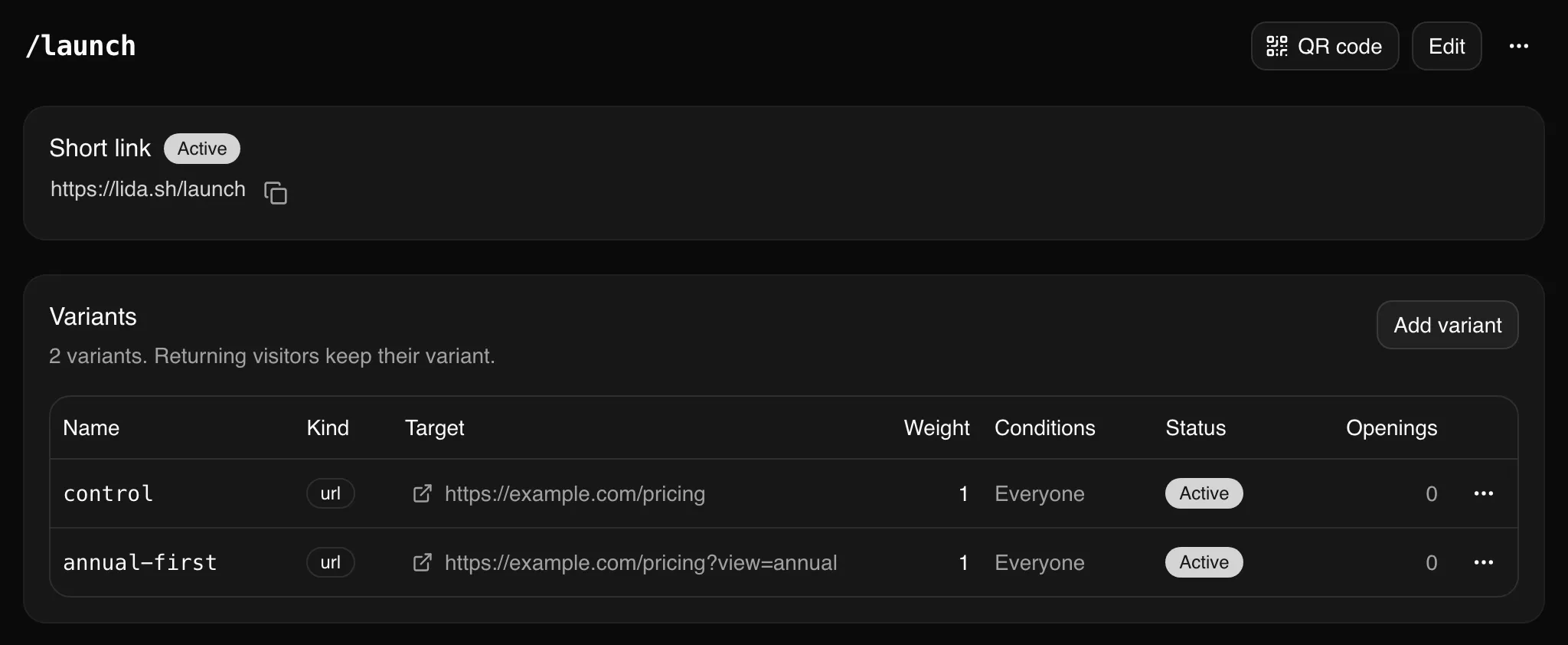
Stats come back per variant, so you can compare them directly:
linkdash links stats launch --last 7dThe variants array in the output reports visits, visitors, downloads, and plays for each variant. More on stats below.
Route visitors by country, device, or query parameter
Variants can also have conditions. Add --when to a variant and only matching visitors can get it. This turns one short link into a router. For example, one link that sends phones to the right app store:
linkdash links create --slug get-app \
  --variant ios \
    --url https://apps.apple.com/app/example/id000000000 \
    --when os=ios \
  --variant android \
    --url "https://play.google.com/store/apps/details?id=com.example" \
    --when os=android \
  --variant web \
    --url https://example.com/app
When a visitor opens the link, the variants whose conditions match form the pool. If none match, the variants without conditions are used instead, so web above catches everyone who is not on iOS or Android.
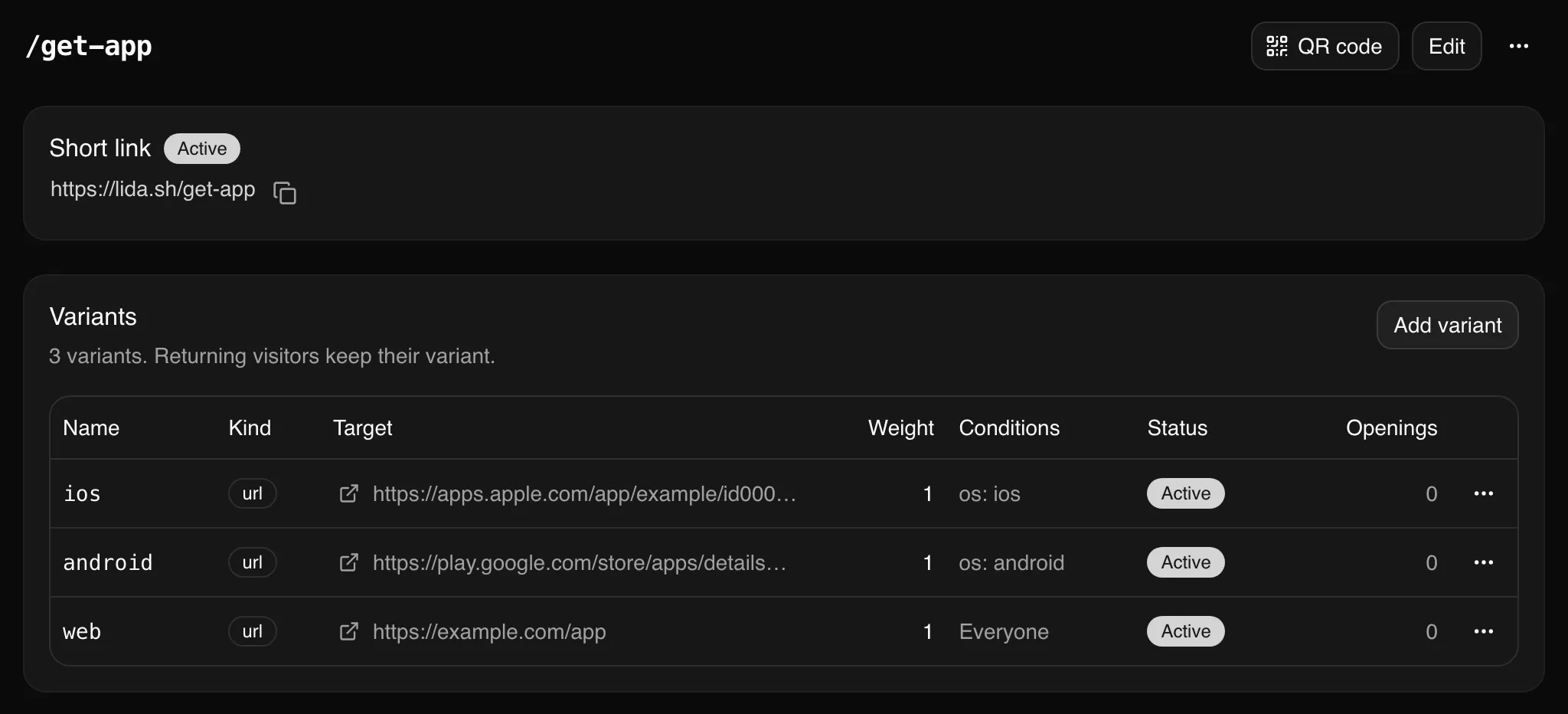
You can match on:
| Key | Matches | Example |
|---|---|---|
country |
ISO country codes | --when country=DE,AT,CH |
device |
mobile, tablet, desktop |
--when device=mobile |
os |
windows, macos, android, ios, linux, other |
--when os=ios |
browser |
edge, chrome, firefox, safari, other |
--when browser=safari |
language |
Language tags, by prefix | --when language=de |
referrer |
The referring host | --when referrer=twitter.com |
Repeat --when to require several conditions at once. --when country=DE,AT --when device=mobile matches mobile visitors from Germany or Austria.
Variants can also match the visitor’s query string, so a single link can behave differently depending on where you shared it. lida.sh/launch?src=newsletter can send newsletter readers somewhere special:
linkdash links variants add launch --name newsletter \
  --url https://example.com/pricing/newsletter \
  --when param:src=newsletter
Parameter rules support equals (=), not-equals (!=), contains (~=), starts-with (^=), ends-with ($=), one-of (=a|b), present (param:ref?), and missing (param:!ref). If you want the visitor’s parameters passed through to the destination instead, create the link with --forward-params.
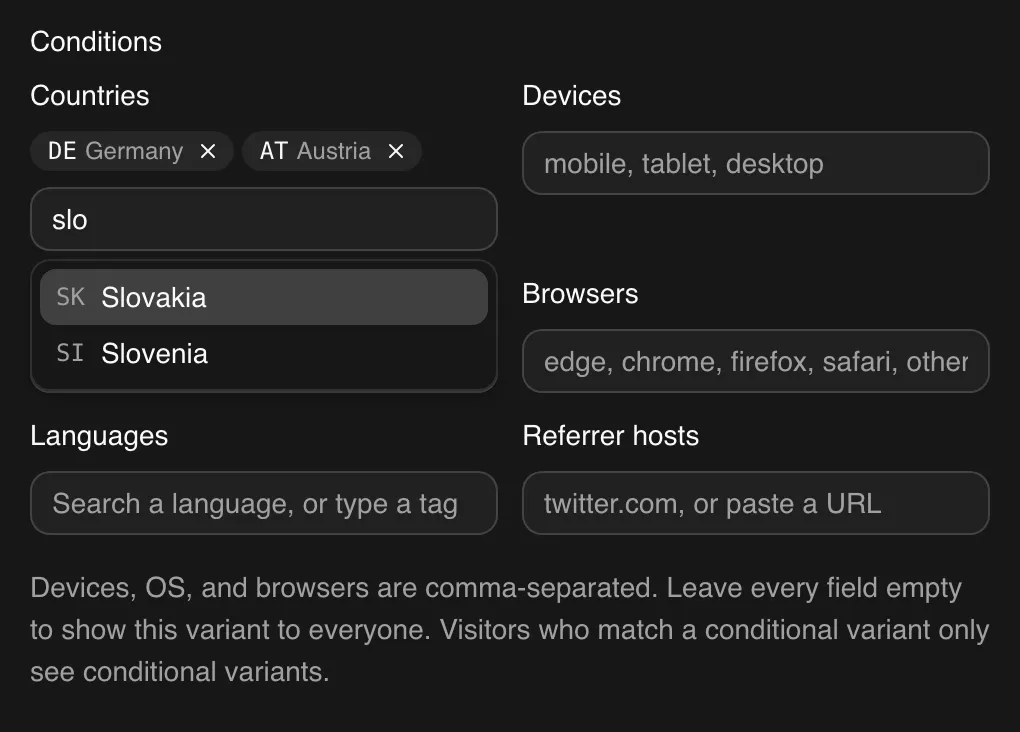
The dashboard has the same controls, with a country picker that searches by name, so you do not need to remember that Slovenia is SI:
Read click analytics from the terminal
linkdash links stats launch --last 7dThe output includes total visits, downloads, and plays, the number of visits in the window you asked for (visitsInLast), the countries and referrers those visits came from, a variants breakdown, and a visitors list with the time, country, device, browser, and referrer of each recent visit. --last takes a duration such as 24h or 30d and defaults to 24h.
Linkdash does not store visitor IP addresses. The address is used to look up the visitor’s country and to derive an anonymous visitor identifier that changes daily, then it is discarded.
To react to clicks as they happen, register a webhook. Linkdash sends signed link.visit, link.download, and link.play events to any HTTPS endpoint:
linkdash webhooks create --url https://example.com/hooksThe signing secret is printed once, so store it straight away. See the webhooks docs for verifying signatures.
Let AI agents create short links with MCP
Everything above is also available to AI agents. Linkdash runs a remote MCP server at https://api.linkdash.dev/mcp, and its tools mirror the CLI: links_create, links_update, links_stats, variants_add, domains_add, and the rest, returning the same JSON.
Create an API key in the dashboard under API keys, then connect your agent. In Claude Code:
claude mcp add --transport http linkdash https://api.linkdash.dev/mcp \
  --header "Authorization: Bearer $LINKDASH_API_KEY"
In Cursor, add it to .cursor/mcp.json:
{
  "mcpServers": {
    "linkdash": {
      "url": "https://api.linkdash.dev/mcp",
      "headers": { "Authorization": "Bearer ${env:LINKDASH_API_KEY}" }
    }
  }
}
In Codex, which reads the key from the environment variable you name:
codex mcp add linkdash --url https://api.linkdash.dev/mcp \
  --bearer-token-env-var LINKDASH_API_KEY
From then on you can ask for links in plain language, such as “shorten https://example.com/pricing as pricing and tag it launch” or “which variant of launch got more visitors this week?”, and the agent calls the right tool. The MCP docs also cover OpenCode.
If your agent already works in a terminal, it can use the CLI directly. Install the Linkdash agent skill so it knows the commands and flags:
npx skills add https://linkdash.dev/skills/linkdash/SKILL.mdUse the HTTP API
For your own code, the same operations are a plain REST API at https://api.linkdash.dev/v1, authenticated with the same API key:
curl https://api.linkdash.dev/v1/links \
  -H "Authorization: Bearer $LINKDASH_API_KEY" \
  -H "Content-Type: application/json" \
  -d '{ "url": "https://example.com/pricing", "slug": "pricing" }'
The response has the same shape as the CLI output. The API reference covers every endpoint, including file uploads and variants.
Use your own domain
Short links live on lida.sh by default. To serve them from your own domain instead, add it and point your DNS at Linkdash:
linkdash domains add go.example.com
linkdash domains verify go.example.com
Then create links on it with --domain go.example.com. Each custom domain has its own set of slugs, so go.example.com/launch does not collide with anyone else’s launch. The domains guide covers DNS setup, including one-click setup for providers that support it.
Pricing
The Free plan needs no credit card and includes 5,000 events a month, 1 GB of file storage, one month of analytics history, and one custom domain. An event is a visit, download, or play on one of your links, or a write such as creating or updating a link. Reads such as listing links or fetching stats are free.
Paid plans raise those limits: Professional is $18 a month and Growth is $48 a month. See pricing for the full comparison.
FAQ
Is there a free URL shortener with a CLI?
Yes. The Linkdash CLI works on the Free plan, which includes 5,000 events a month with no credit card.
Can I use the Linkdash CLI in CI?
Yes. Set LINKDASH_TOKEN to a session token and the CLI runs without a browser. Because every command prints JSON, you can create and update links from GitHub Actions or any other pipeline and read the results with jq.
Can AI agents create short links?
Yes, in three ways: through the MCP server at https://api.linkdash.dev/mcp, through the CLI with the Linkdash agent skill installed, or through the HTTP API. All three expose the same operations and return the same JSON.
Does Linkdash store visitor IP addresses?
No. Linkdash uses the address to look up the visitor’s country and to create a daily anonymous identifier, then discards it. Link owners never see IP addresses.
Can one short link send different visitors to different pages?
Yes. Give a link several variants, and add conditions such as country, device, operating system, language, referrer, or query parameter to each. Without conditions, variants split traffic by weight, which is how you run an A/B test.
Ready to try it? Install the CLI, run linkdash auth create, and shorten your first link in under a minute. The quickstart has every step.