

a/b testingguides
How to A/B test a link
Split one short link between two or more pages, keep returning visitors on the same version, and measure which page converts. A step-by-step guide.
Igor Kirnosov9 min read
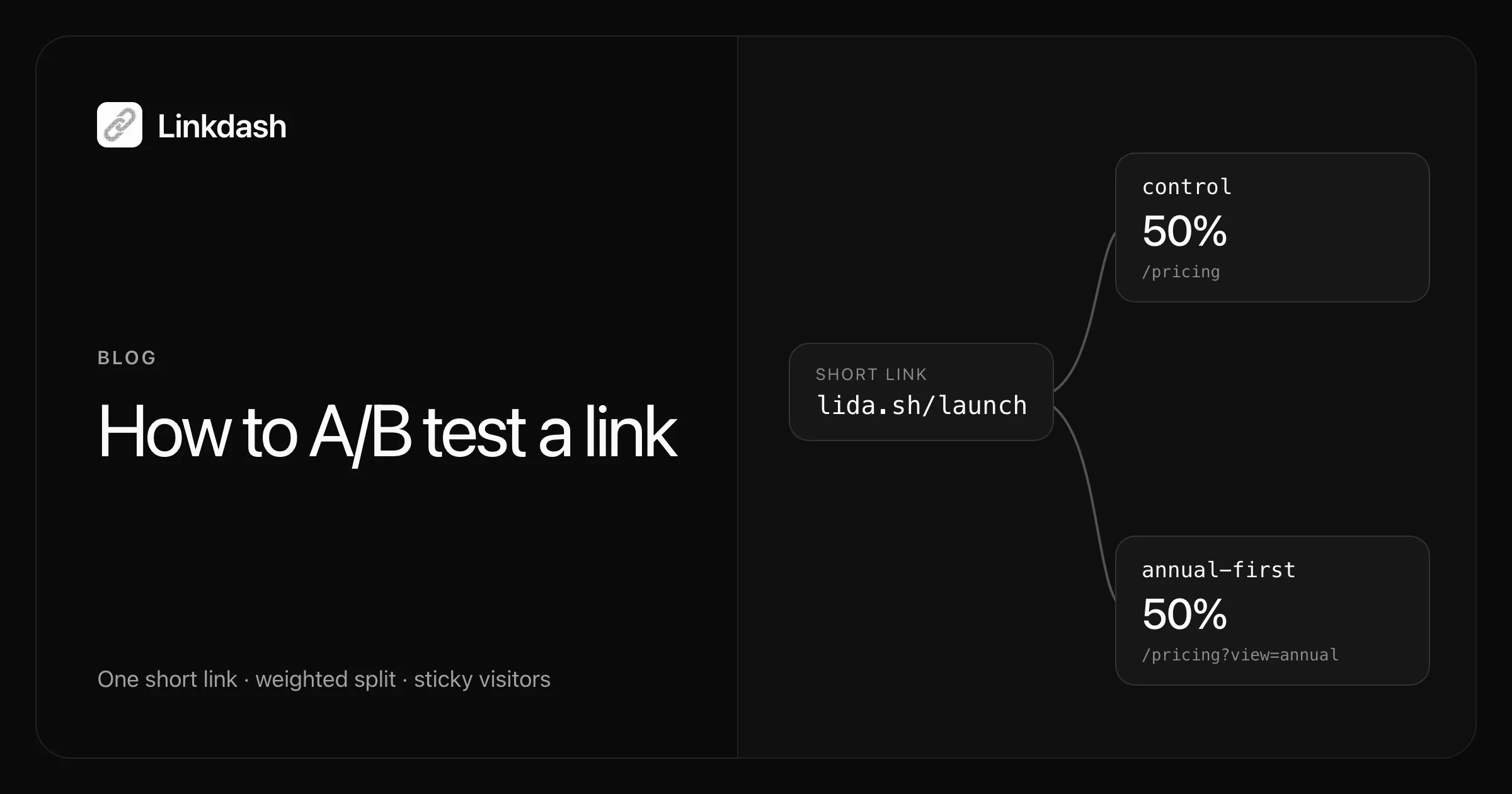
To A/B test a link, point one short link at two or more destination pages and let it split visitors between them by weight. Everyone shares the same link, each visitor lands on one version and keeps getting it on later visits, and you compare how each page performs.
Because the split happens in the link, not on the page, you need no code changes and no testing script on your site. You can test pages on different domains, on different page builders, or pages you do not control at all.
This guide shows how to set up a split link in Linkdash, choose the weights, keep assignments consistent, run the test long enough, measure the result correctly, and ship the winner.
When to A/B test a link
A link-level test compares destinations. It fits whenever you can build each version as its own URL:
- Two landing pages for the same campaign
- Two pricing page layouts, such as monthly-first against annual-first
- An onboarding flow against a direct sign-up page
- Two offers, or the same offer on two different sites
- The destination of an email button, ad, QR code, or social post
If what you want to test is a headline or button on a single page, a page-level testing tool that swaps content in place is the better fit. The link-level approach wins when the versions are separate pages, or when you cannot add code to them.
Step 1: Decide what you are testing
Write the test down as one change and one metric before you build anything. For example:
Showing annual pricing first increases paid sign-ups from the pricing page.
One change keeps the result readable. If the two pages differ in their headline, layout, and price at once, a winner tells you nothing about which change mattered. The metric should be the thing you actually care about, usually a sign-up or a purchase, not the click itself.
Step 2: Create the split link
In Linkdash, every link holds one or more variants. A variant is one destination with its own weight. Create a link with a variant for each version:
linkdash links create --slug launch --name "Pricing layout test" \
  --variant control \
    --url https://example.com/pricing \
    --utm-content control \
  --variant annual-first \
    --url "https://example.com/pricing?view=annual" \
    --utm-content annual-first
{
"id": "launch",
"url": "https://lida.sh/launch",
"kind": "group",
"variants": [
{ "name": "control", "kind": "url" },
{ "name": "annual-first", "kind": "url" }
]
}Flags after each --variant apply to that variant until the next one. The --utm-content on each variant matters later, when you measure conversions. Keep the URL in quotes when it contains ?, or zsh stops with “no matches found”.
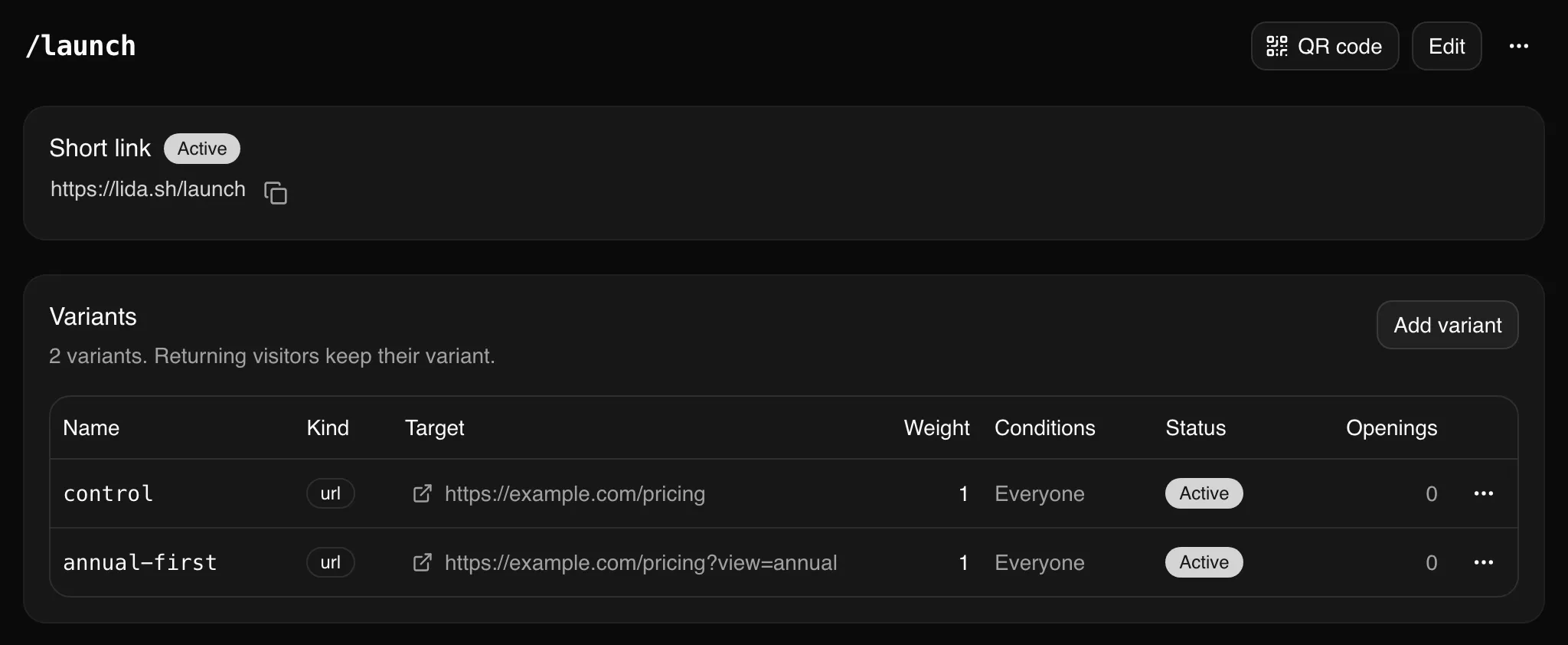
In the dashboard, create the link as usual, open it, and click Add variant for each version. The link page then lists every variant with its weight and status:
If you would rather use code, the HTTP API takes the same variants in one request:
curl https://api.linkdash.dev/v1/links \
  -H "Authorization: Bearer $LINKDASH_API_KEY" \
  -H "Content-Type: application/json" \
  -d '{
    "slug": "launch",
    "variants": [
      {
        "name": "control",
        "url": "https://example.com/pricing",
        "utm": { "content": "control" }
      },
      {
        "name": "annual-first",
        "url": "https://example.com/pricing?view=annual",
        "utm": { "content": "annual-first" }
      }
    ]
  }'
An AI agent connected over MCP can do the same when you ask it to split a link between two pages.
Step 3: Choose the weights
Weights are relative. Each variant receives its weight divided by the total weight of all the variants in play:
| Weights | Traffic split | Use it for |
|---|---|---|
1 and 1 |
50% and 50% | A standard A/B test |
3 and 1 |
75% and 25% | Limiting how many people see a risky change |
9 and 1 |
90% and 10% | A cautious first look at a new version |
1, 1, and 1 |
About 33% each | An A/B/n test with three versions |
Every variant starts with a weight of 1. Set a different one with --weight:
linkdash links variants update launch annual-first --weight 3An even split reaches a reliable answer fastest, because every visitor counts toward one of two equally sized groups. Use an uneven split only when showing the new version to half your traffic is too risky. A variant with weight 0 receives no traffic.
Step 4: Keep assignments sticky
A visitor who comes back should land on the same version they saw the first time. Otherwise one person sees both pages, the groups blur together, and the comparison stops being fair.
Linkdash does this by default. The first time someone opens the link, their browser stores a random identifier, and that identifier, the link, and the test round together decide the variant. The same browser always gets the same page, however many times it clicks.
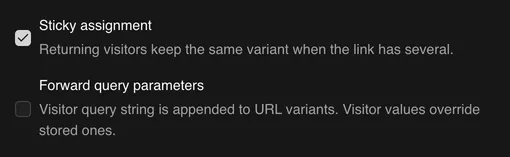
Two things to keep in mind:
- Assignment is per browser. Someone who opens the link on their phone and later on their laptop can see two versions. Every link-level test has this limit, because the link cannot know that two devices belong to one person.
- Turn it off only for rotation. With
--no-sticky, every visit gets a fresh random pick. That suits spreading traffic across several equivalent pages, but not an experiment.
Step 5: Measure conversions, not just clicks
The link tells you how many people each variant received:
linkdash links stats launch --last 14dThe output includes a variants array with visits and unique visitors for each version (trimmed, with example numbers):
{
  "id": "launch",
  "visits": 4937,
  "variants": [
    { "variant": "control", "visits": 2481, "visitors": 2203 },
    { "variant": "annual-first", "visits": 2456, "visitors": 2190 }
  ]
}
Those numbers are the size of each group, not the result. Both variants should get roughly the share their weights promise. If one gets far fewer visitors than expected, look for a broken destination before trusting anything else.
The result, a sign-up or a purchase, happens on the destination page, so measure it there. This is what the per-variant utm_content is for. Each version arrives tagged:
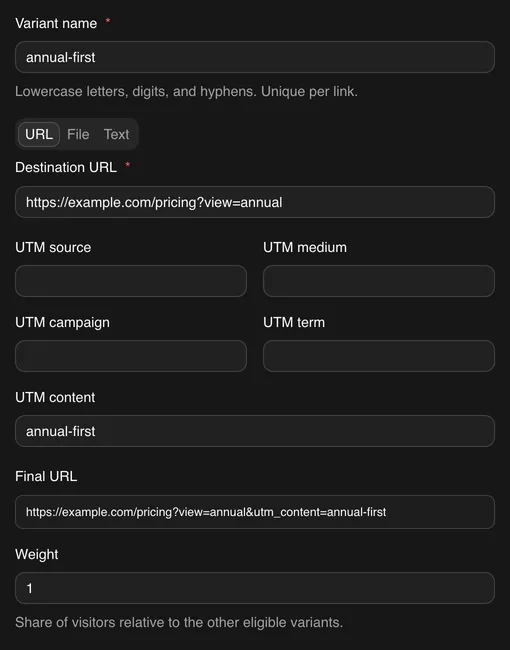
Your analytics tool, whether Google Analytics, Plausible, or your own database, can then group conversions by utm_content. For each variant, the conversion rate is its conversions divided by its unique visitors.
Step 6: Run the test long enough
Stopping a test early is the most common way to pick the wrong winner. Two rules prevent most of the damage:
- Decide the sample size before you start. It depends on how often visitors convert today and how small a difference you want to detect.
- Run whole weeks. People behave differently on weekdays and weekends, so run for at least one or two full weeks even if you reach the sample size sooner.
Here is roughly how many visitors each variant needs, at 95% confidence and 80% power:
| Current conversion rate | To detect a 10% lift | 20% lift | 50% lift |
|---|---|---|---|
| 2% | 80,700 | 21,100 | 3,800 |
| 5% | 31,200 | 8,200 | 1,500 |
| 10% | 14,700 | 3,800 | 700 |
A “20% lift” means a relative change, such as 5% becoming 6%. Small improvements need a lot of traffic, so if your link gets a few hundred visitors a week, test bold changes that could plausibly move the rate by 50%. To run your own numbers, use a sample size calculator.
Checking the results every day is fine, as long as you do not stop the moment one variant looks ahead. Early leads often vanish.
Step 7: Ship the winner
When the test reaches its planned size, compare the conversion rates. If one variant is clearly ahead, send all traffic to it by pausing the other:
linkdash links variants update launch control --status pausedThe short link does not change, so every email, ad, and QR code already in circulation now leads to the winner. You can also remove the losing variant with linkdash links variants remove launch control. Its past visits stay in your analytics.
If the difference is too small to call, treat it as a tie and keep whichever page is simpler to maintain.
To start a new round, add the next challenger and restart the split so every returning visitor is assigned again:
linkdash links variants add launch --name monthly-first \
  --url "https://example.com/pricing?view=monthly" \
  --utm-content monthly-first
linkdash links update launch --restart-split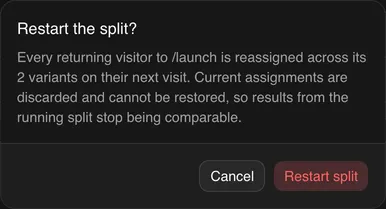
Restarting discards the current assignments, so do it between rounds, never in the middle of a test.
Test a single audience
Variants can also carry conditions, so you can run a test for one segment and leave everyone else alone. When a visitor matches some conditional variants, only those variants are in play. Everyone else gets the variants without conditions.
This link tests two mobile landing pages, while desktop visitors always get the standard page:
linkdash links create --slug app-test \
  --variant mobile-a \
    --url https://example.com/m/a --when device=mobile \
  --variant mobile-b \
    --url https://example.com/m/b --when device=mobile \
  --variant desktop \
    --url https://example.com/app
The same works for a country (--when country=DE,AT) or for traffic from one campaign (--when param:src=newsletter). The CLI reference lists every condition, and the guide to shortening URLs from the command line shows more routing examples.
Common mistakes
- Stopping at the first sign of a winner. Decide the sample size up front and wait for it.
- Turning off sticky assignment. Visitors who see both versions make the groups meaningless.
- Judging by clicks. Both variants get the same kind of click. What differs is what people do after it.
- Changing weights mid-test. Each visitor’s place is fixed, but it maps onto the current weights, so a new split moves some returning visitors to the other version. Set the weights before you start.
- Testing several changes at once. A winner then cannot tell you which change worked.
- Forgetting the UTM tags. Without
utm_contenton each variant, your analytics cannot tell the two groups apart.
FAQ
How do I split traffic between two URLs?
Create a short link with one variant per URL and give them equal weights. Linkdash sends each visitor to one of them and keeps returning visitors on the same one. With the CLI, use one --variant block per URL on linkdash links create.
How many versions can one link test?
Up to 20 variants per link. Each extra variant needs its own full sample, so a three-way test takes about 50% longer than an A/B test at the same traffic.
Is A/B testing links free?
Yes, on the Free plan, which includes 5,000 events a month. Each visit counts as one event. See pricing for higher limits.
Does A/B testing a link hurt SEO?
The short link itself is not indexed, so it cannot compete with your pages. If the destination pages are near-duplicates, follow Google’s guidance on website testing and point a canonical tag from the test version to the original.
What do link previews show during a test?
Link previews in Slack, X, and other apps always show the first variant without conditions, so a shared link keeps a stable preview while the test runs.
What is the difference between an A/B test link and a link rotator?
Both split traffic by weight. A link rotator picks a destination at random on every visit, which suits spreading load across equivalent pages. An A/B test keeps each visitor on one version so the results can be compared. In Linkdash, the only difference is the sticky assignment setting.