languagesannouncements
Linkdash now speaks 26 languages
The Linkdash dashboard, emails, blog, and docs are now in 26 languages. It follows your browser, and the language you pick is saved to your account.
Igor Kirnosov4 min read
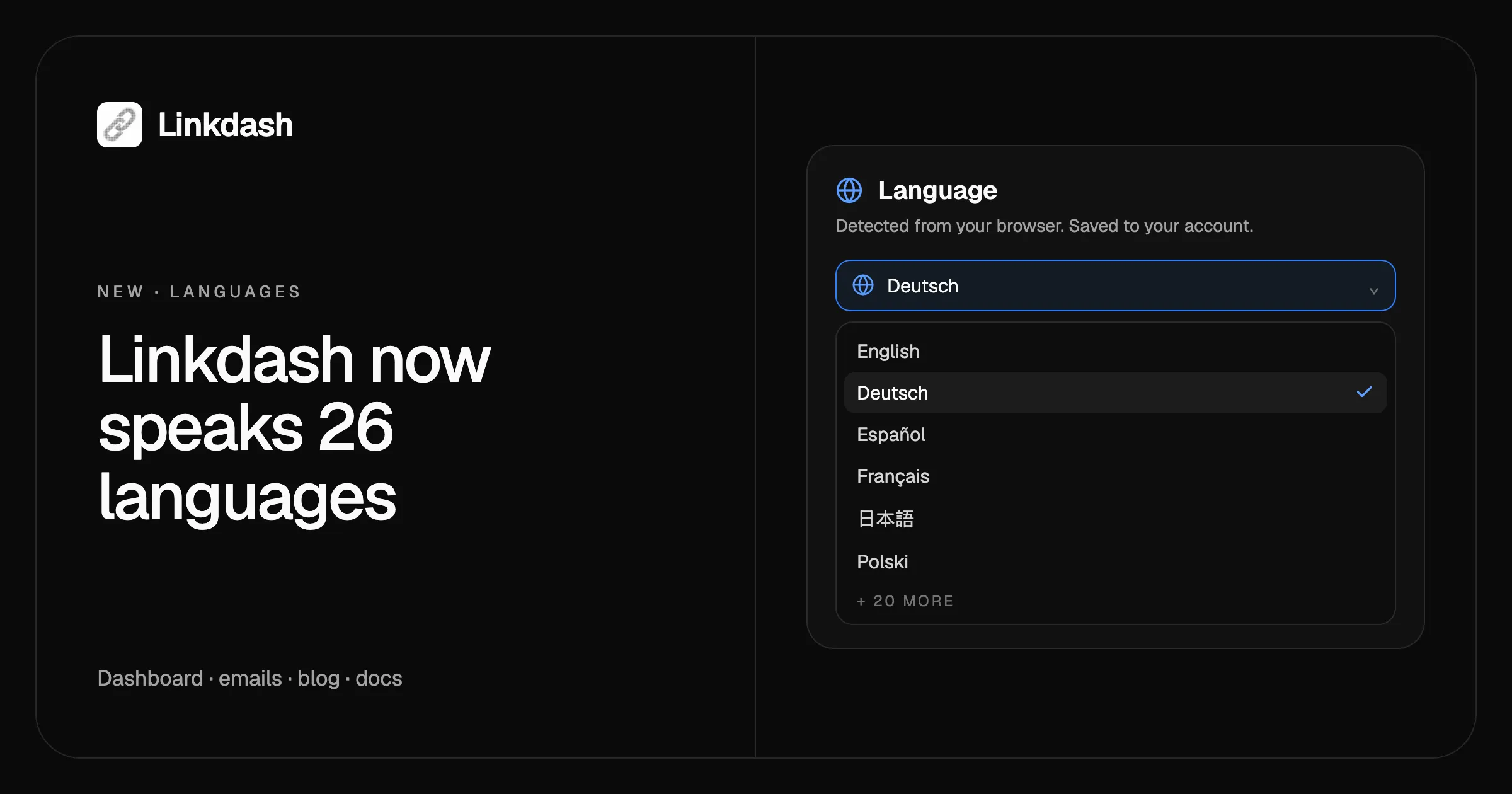
Linkdash is now available in 26 languages. The dashboard, the emails we send, this blog, and the docs all come in your language, and so do the pages your visitors see when they open a password-protected link or a shared folder. There’s nothing to set up: Linkdash reads your browser’s language the first time you visit, and once you pick one yourself, it’s saved to your account and follows you to every device.
The 26 languages
Bulgarian, Chinese (Simplified), Croatian, Czech, Danish, Dutch, English, Estonian, Finnish, French, German, Greek, Hungarian, Italian, Japanese, Latvian, Lithuanian, Norwegian, Polish, Portuguese, Romanian, Russian, Slovak, Slovenian, Spanish, and Swedish.
What’s translated
- The dashboard. Every page, menu, dialog, and error message, from your Library and the link editor to Permissions, API keys, domains, billing, and settings.
- The pages your visitors see. Password prompts, shared folder pages, file previews, and the not-found page appear in each visitor’s own browser language, whatever language you use.
- Emails. Sign-up verification, password resets, the welcome email, and usage alerts arrive in your language.
- Invites. When you share an item with someone, the invite goes out in their saved language, or in the language you were using when you invited them.
- The website, blog, and docs. The homepage, pricing, this blog at
/blog/<language>, and the full docs at/docs/<language>, with the dashboard’s own labels, so a guide says exactly what your screen shows.
How Linkdash picks your language
- The language you chose. Pick one in the dashboard and it’s saved to your account, so it’s the same on your laptop, your phone, and in the emails we send you.
- The last language you picked on this device, if you haven’t signed in yet.
- Your browser’s language. Set your browser to German and Linkdash opens in German, no clicks needed.
- English, when your browser asks for a language we don’t have yet.
Changing language is instant: the page switches in place, without a reload, and you stay right where you were.
Change your language
- In the dashboard: open your account menu in the sidebar and choose Language, or go to Settings and pick one under Language.
- On the website: use the language picker at the bottom of any page.
- On the blog and in the docs: use the language menu in the header. The blog and docs switch to the same page in the new language.
Whichever you use, the choice sticks. Sign in later and it’s saved to your account.
What stays in English
The CLI, the HTTP API, and MCP answer in English on purpose. Their messages and field names are read by scripts and AI agents, and a script that checks for Incorrect password shouldn’t break because someone changed their dashboard language. The content you create stays exactly as you wrote it, too: link names, folder names, text snippets, and previews are never translated.
Our Terms of Service and Privacy Policy are in English only for now; every translated page says so.
Why we did it
A short link goes wherever you send it, and so does the page behind it. A shared folder opened in Warsaw, a password prompt opened in Tokyo, and an invite opened in Lisbon should all read naturally to the person in front of them. And the dashboard should feel like it was made for you, whether you think in English or not.
FAQ
Is Linkdash available in my language?
Linkdash speaks 26 languages: Bulgarian, Chinese (Simplified), Croatian, Czech, Danish, Dutch, English, Estonian, Finnish, French, German, Greek, Hungarian, Italian, Japanese, Latvian, Lithuanian, Norwegian, Polish, Portuguese, Romanian, Russian, Slovak, Slovenian, Spanish, and Swedish. If yours is missing, let us know.
How do I change the language of Linkdash?
In the dashboard, open your account menu and choose Language, or pick one in Settings. On the website, use the language picker at the bottom of the page. Your choice is saved to your account.
Do my visitors see my language?
No, they see theirs. Password prompts, shared folder pages, and file previews follow each visitor’s browser language, so the same link reads in German for one person and in Japanese for the next.
Do my links or URLs change?
No. Short links, share URLs, and dashboard URLs are the same in every language. Only the blog and the docs have a language in their address, like /docs/de, so search engines can find each translation.
Can I get the CLI or API in another language?
No. The CLI, HTTP API, and MCP stay in English so scripts and AI agents always get the same messages and field names. Everything they create shows up in the dashboard in your language.